

End-to-end process · Purchase to Pay (P2P)
From demand to payment
Your entire purchase-to-pay process. One question away.
Order status, overdue deliveries, blocked invoices: the questions that eat your procurement team's day get answered in seconds - in Teams, in Outlook, even across whole SharePoint folders. Governed, read-only, through each user's own SAP rights.
The grind today
Procurement runs on questions nobody has time to answer.
A requester wants to know where their order is. A buyer chases an overdue delivery. Accounts payable needs to know why an invoice is blocked. Today each of these means an SAP transaction someone has to know, an export someone has to build, or a ticket someone has to wait for. The answers exist - they're just locked behind expertise.
A real exchange
More than a chatbot. A colleague who knows SAP.
Four surfaces, one process
Procurement happens everywhere. So does Bridge.
 In Teams
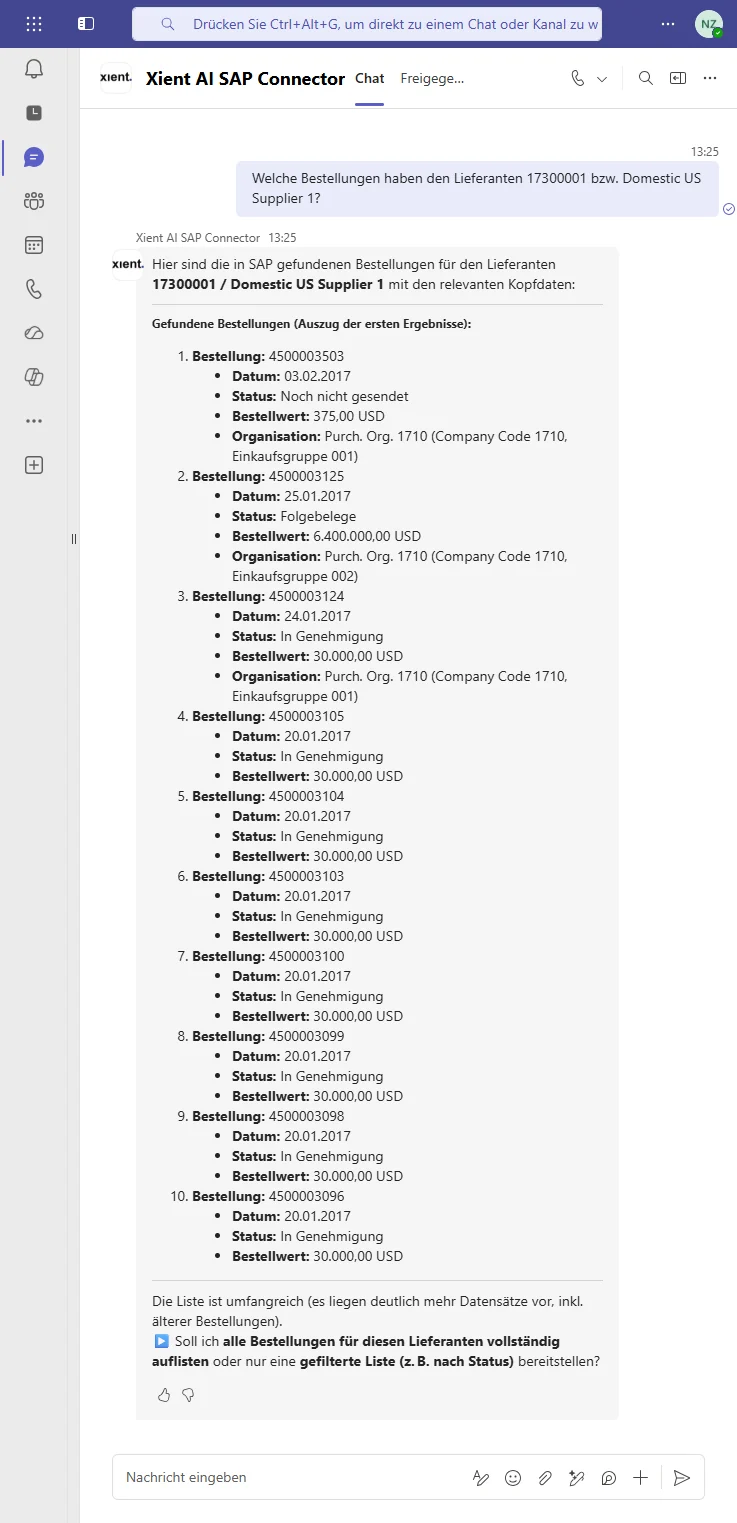
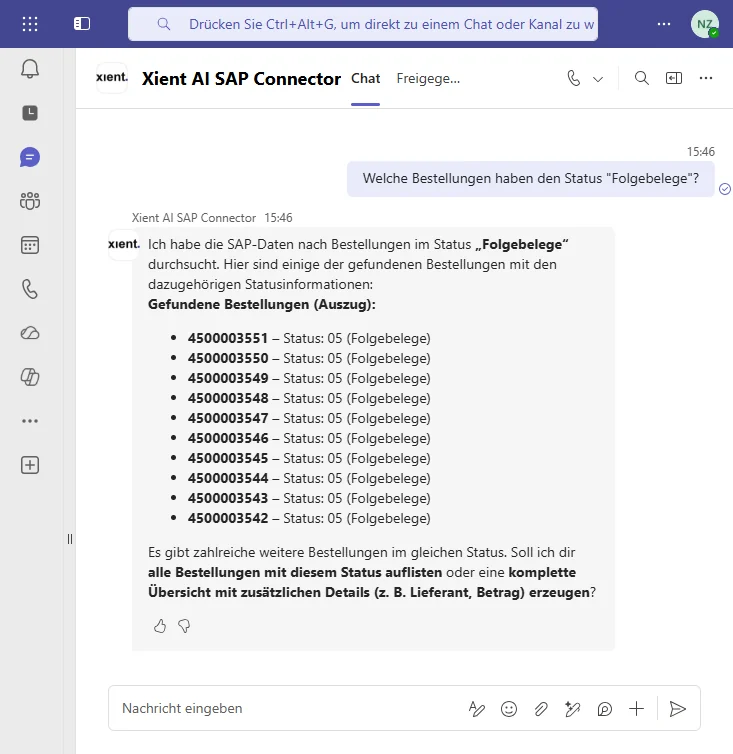
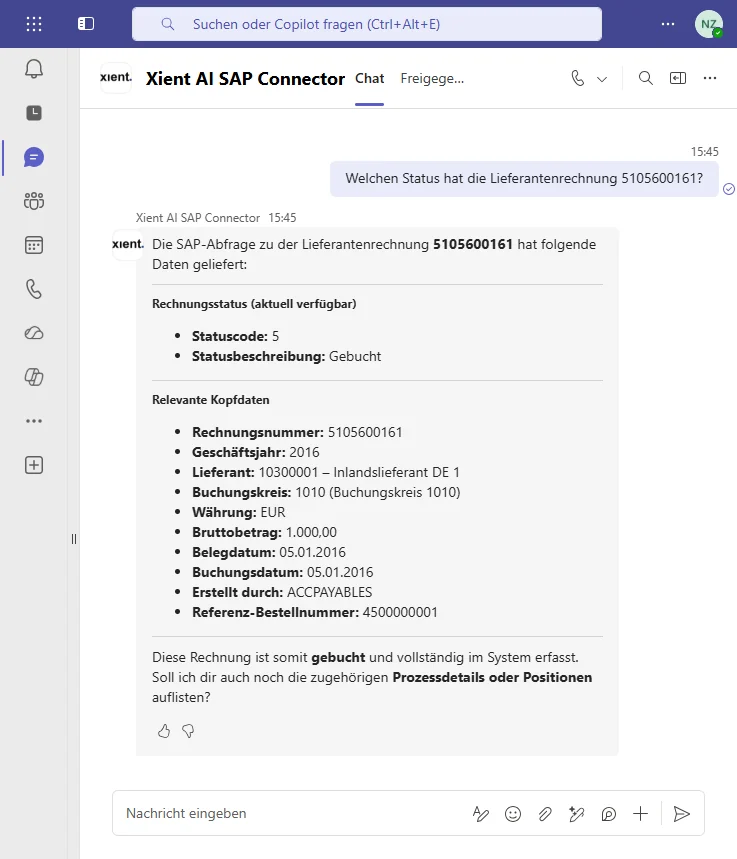
The daily flow: a requester checks their order, a buyer pulls everything open with a supplier, AP asks why an invoice is blocked - and gets the reason, not a code.
"Which ACME orders are still open?" In Outlook*
A supplier's invoice lands as a PDF: check it against the order without leaving the mail. An order number mentioned mid-thread? Pull it up - supplier, status, deliveries and all.
"Does this invoice match PO 4500001842?" In SharePoint*
Month-end, a folder full of supplier invoices: Bridge works through all of them - checked against orders, deviations flagged, results filed right back into the folder.
"Check every invoice in this folder against its PO." In Excel*
A PO number in a cell is enough: vendor, status and receipts behind it - talked through without leaving the sheet. Later phase: findings written back into the cells you choose.
"What's behind PO 4500017788?"Watch it happen
Purchase to pay, in 50 seconds.
A live recording from a demo system: a plain question in Teams, a structured answer from SAP - sourced, explained, ready to act on.
Live recording from a demo system, in German.
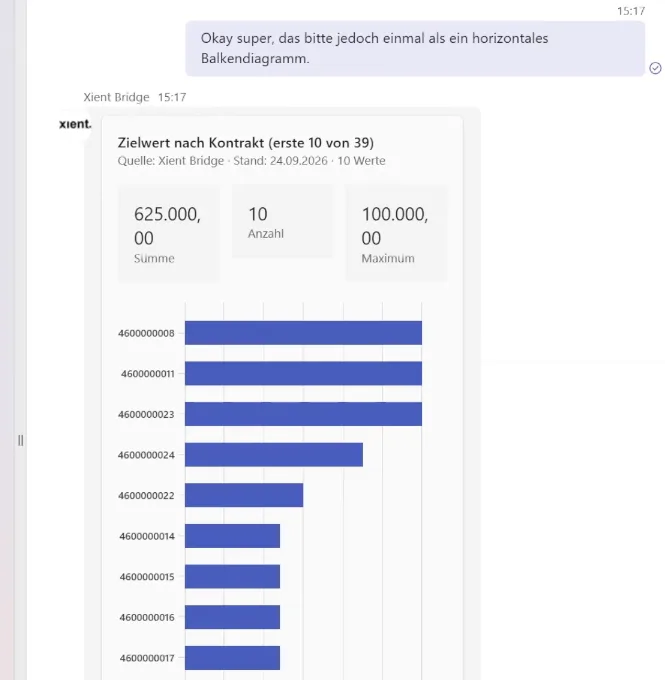
Purchasing contracts at a glance
Header data, items, target quantity, released quantity and target value - live from SAP, with follow-ups in the same conversation.
Under the hood
What Bridge reaches. What it can do.
Data sources
- Purchase requisitions and purchase orders
- Deliveries and goods receipts
- Supplier invoices and payment status
- Supplier master data and contacts
- All via released SAP standard services - ECC and S/4HANA, no core modification
Capabilities
- Find suppliers and check master data
- Review purchase orders and track deliveries
- Detect quantity and price deviations
- Validate invoices and check payment status
- Create purchase requisitions* and prepare approvals*
*Outlook, SharePoint and Excel arrive in a later release. Write actions are planned for later phases - released explicitly, function by function, under your governance. Bridge starts read-only. Excel as a surface also arrives in a later release.
Every access runs through the user's own SAP account - nobody sees more than their SAP rights already allow. Everything stays in your Microsoft tenant, auditable end to end.
Why it pays
Where the time comes back.
See the procurement workflow live.
Thirty minutes, your purchase-to-pay questions, a live system.