

Platform
One governed bridge between AI and your core systems.
Xient Bridge is delivered through Microsoft 365 Copilot and answers from SAP - through a curated, deterministic dispatcher instead of free AI access. It works wherever Copilot works: Teams first, plus Outlook and SharePoint. Voice input and output as well as extended, graph-based analytics are in development.
Live in Microsoft Teams
Real questions. Real SAP answers.
Five unedited answers from a live demo system - tap to enlarge. Bridge answers in the language you ask in; these examples are in German.
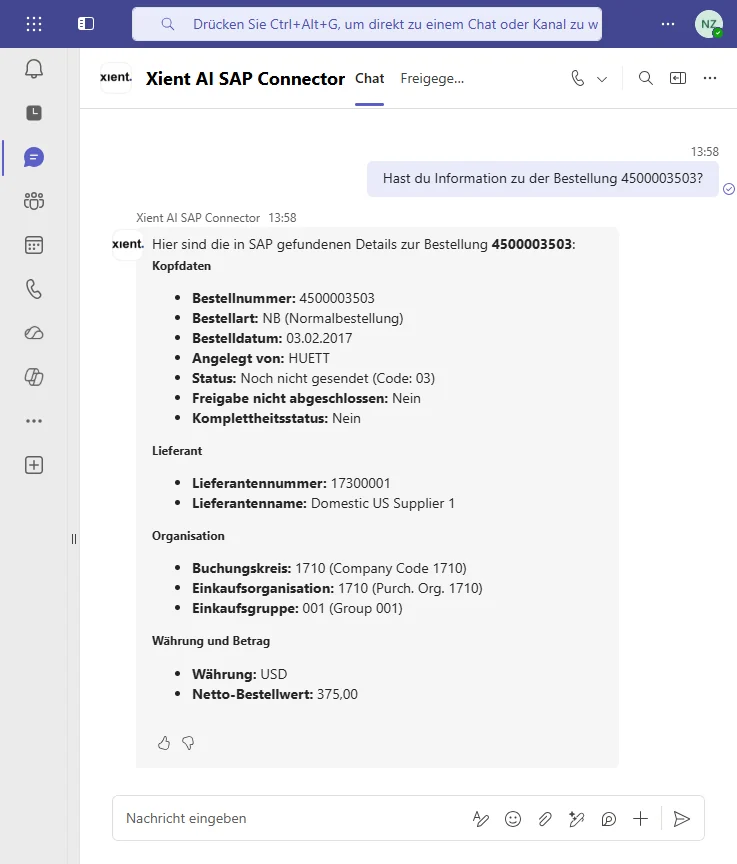
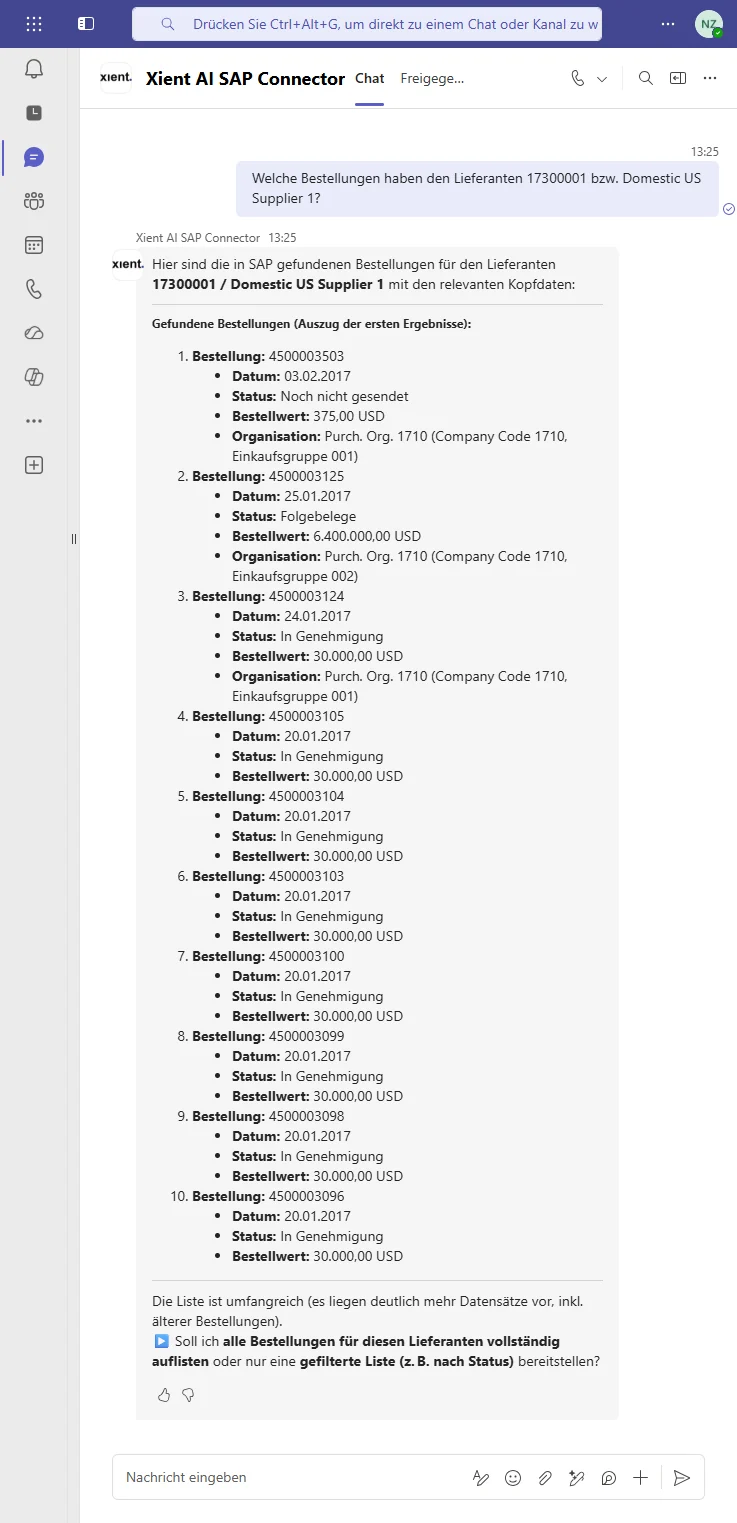
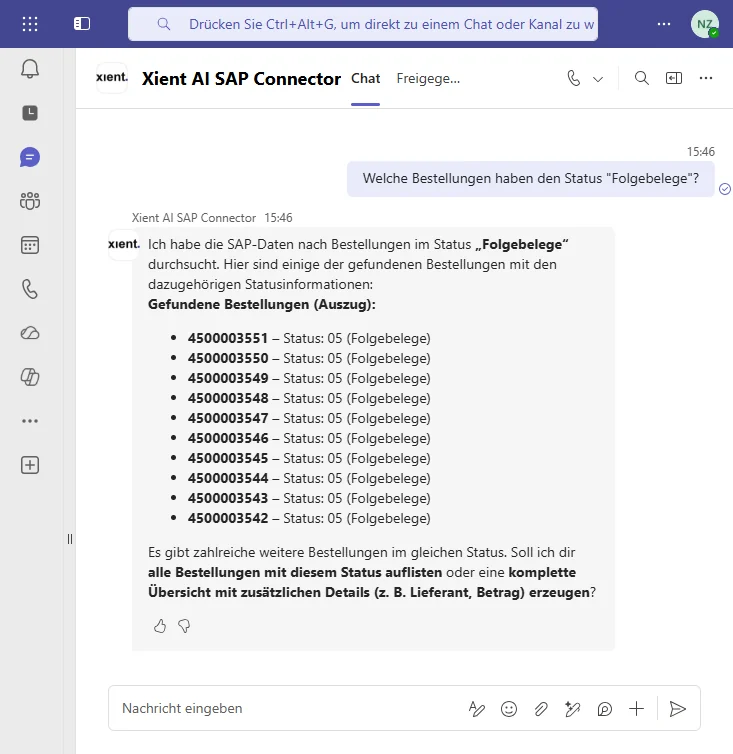
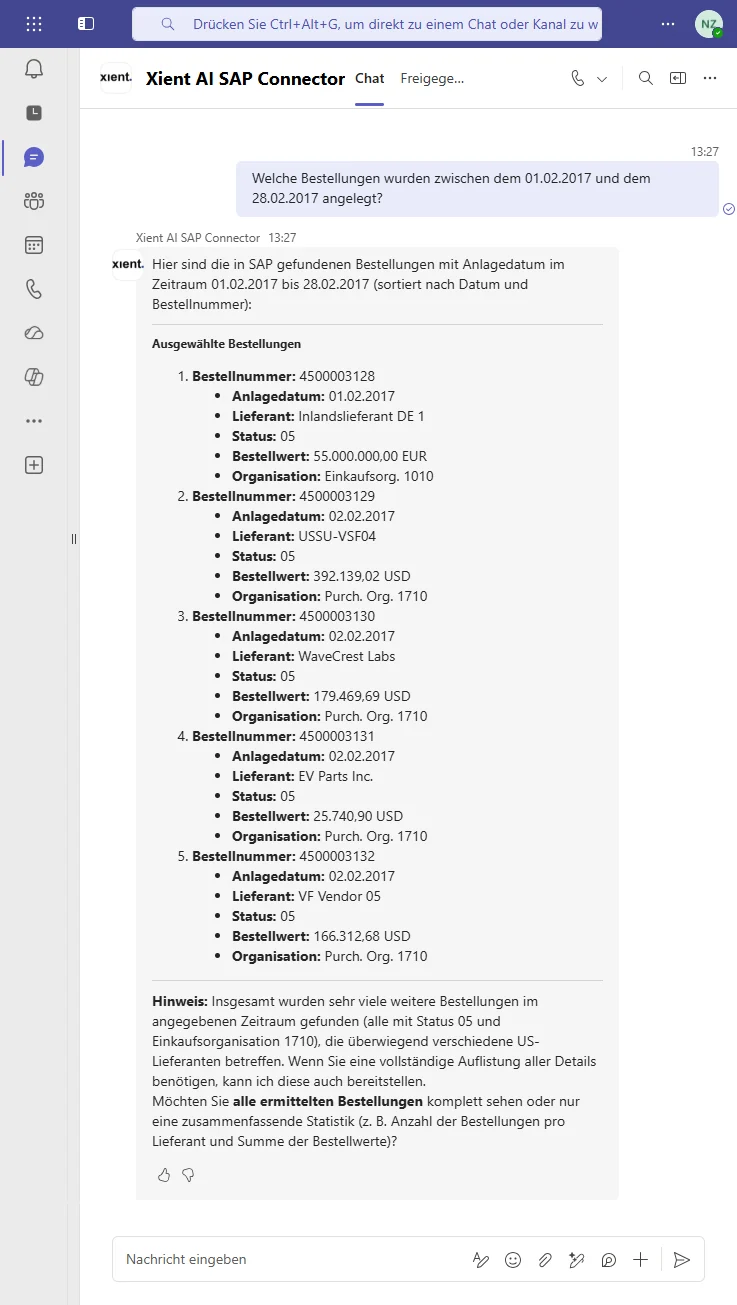
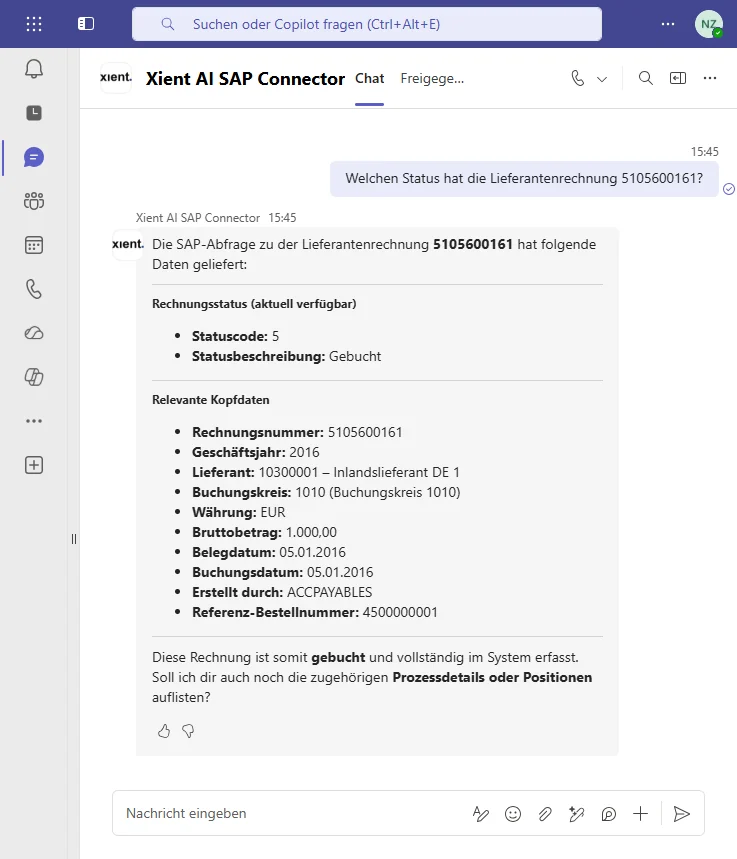
Values shown are SAP standard demo data.
The dilemma
One question. Four transactions. Window upon window.
This is what getting a simple answer looks like today: open the order, look up the material, check the supplier, find the business partner. A different transaction each time, a new window each time, and each time someone who knows where to look. Twenty-eight seconds, uncut.
- Four transactions for one question
- You have to know where to look
- Ten to twenty-five minutes, every single time
With Bridge: the same question, one answer, in Teams. See the recordings
Bridge in action
Six recordings, one chat.
Unedited recordings from a demo system. Pick one below or use the arrows.
Architecture
Built for the enterprise it runs in.
Your Microsoft tenant
Bridge is delivered through Microsoft 365 Copilot and runs inside your own Microsoft environment - it respects the permissions you already manage there.
Deterministic dispatcher
Every question is routed to a curated set of released SAP functions. The AI never gets free access to your system - the dispatcher decides, deterministically.
SAP standard services
Bridge connects to SAP ECC and S/4HANA through standard services - no modification of your core, no parallel data copy to maintain.
Auditable end to end
Who asked what, which function answered, on which data - traceable at every step. Read-only; write access only where you explicitly release it.
What Bridge can do
Bridge the gap between people, AI and enterprise systems.
Xient Bridge turns existing SAP services into secure, conversational business capabilities - one intelligent interface across your business processes, from procurement to finance, production and HR. Open a process to see what that means in practice.
Purchase to PayFrom demand to payment
- Find suppliers
- Check supplier master data
- Create purchase requisitions*
- Review and approve purchase orders*
- Track deliveries
- Validate invoices
- Detect quantity and price deviations
- Check payment status
Order to CashFrom customer request to incoming payment
- Find customers and contacts
- Check product availability
- Create and review sales orders*
- Validate prices and discounts
- Track deliveries
- Retrieve invoices
- Check receivables
- Identify overdue payments
Record to ReportFrom transaction to financial insight
- Retrieve journal entries
- Explain account balances
- Analyze postings
- Monitor open items
- Support period-end closing
- Detect inconsistencies
- Prepare financial reports
- Answer audit questions
Plan to ProduceFrom demand planning to finished product
- Check material availability
- Analyze demand
- Review production plans
- Monitor production orders
- Identify shortages
- Track confirmations
- Analyze quality issues
- Check production status
Acquire to RetireAcross the complete asset lifecycle
- Find assets
- Check asset master data
- Review acquisitions
- Track depreciation
- Analyze maintenance history
- Monitor asset values
- Support transfers
- Prepare retirement or disposal
Hire to RetireAcross the employee lifecycle
- Find employee information
- Support recruiting processes
- Guide onboarding
- Answer HR-related questions
- Retrieve organizational information
- Support time and absence processes
- Analyze workforce data
- Guide offboarding
Subject to roles, permissions and data-protection policies.
Controlling & SteeringFrom operational data to management decisions
- Analyze costs and revenues
- Compare actuals, plans and forecasts
- Explain deviations
- Evaluate profitability
- Monitor budgets
- Analyze cost centers
- Track business KPIs
- Generate management insights
People AnalyticsUnderstand your workforce
- Analyze workforce structures
- Monitor recruitment metrics
- Review retention and fluctuation
- Analyze skills and qualifications
- Evaluate capacity development
- Identify workforce trends
- Support strategic workforce planning
- Provide management dashboards
Subject to roles, permissions and data-protection policies.
*Write actions such as creating or approving documents are planned for later phases - released explicitly, function by function, under your governance. Bridge starts read-only.
If the process exists in SAP and the corresponding service is available, Xient Bridge can make it accessible through natural language and intelligent agents.
Available capabilities depend on the connected systems, activated APIs and services, data quality, user permissions and applicable governance policies.
And to be equally clear about what Bridge is not:
- Not another generic chatbot.
- Not a replacement for SAP.
- Not uncontrolled autonomous AI.
- Not a shadow process layer.
Bridge and SAP Joule
Respect for Joule. A different starting point.
Every major vendor is building its assistant - and SAP Joule and SAP Business AI are genuinely strong moves, deep inside SAP's own suite. If your people live in SAP screens all day, that's exactly where an assistant belongs.
Bridge starts from the other side: natively inside Microsoft Teams and the 365 ecosystem, where most of your organization actually spends its day. No particular SAP release required, no waiting for a migration - and anything beyond the SAP suite needs individual integration work either way. That ground is Bridge's home turf.
Security & governance
Built for your most critical reviewers.
Curated instead of open-ended. Read-only. The human in the decision. And four facts your security team will want in writing:
Not banning it. Enabling it.