

Xient Bridge
SAP in Microsoft Teams.
Your people work in Teams. Your data lives in SAP. Bridge brings the two together: a question in the chat, an answer from SAP - in seconds, as text, table or chart.
Why SAP answers belong in Teams.
Anyone who needs an answer from SAP today switches tools: find the transaction, fill the selection screen, export - or ask someone who can. Teams, by contrast, is where work, questions and decisions already happen. Bridge answers the SAP question right there, in the same chat where it was asked.
That holds for procurement, invoice verification, materials, manufacturing and sales - and for any question we connect on request as a Bridge Function.
How SAP in Teams works.
Bridge is an agent in Microsoft 365 Copilot. It reads from your SAP through approved standard interfaces, under the personal SAP access of the person asking, and answers in the chat. Nothing is copied, nothing is processed outside your Microsoft tenant, nothing is written.
On request Bridge answers not with text but with a table, a key figure or a chart - bar, line, donut, grouped. Follow-up questions in the same chat are free.
This is what it looks like.
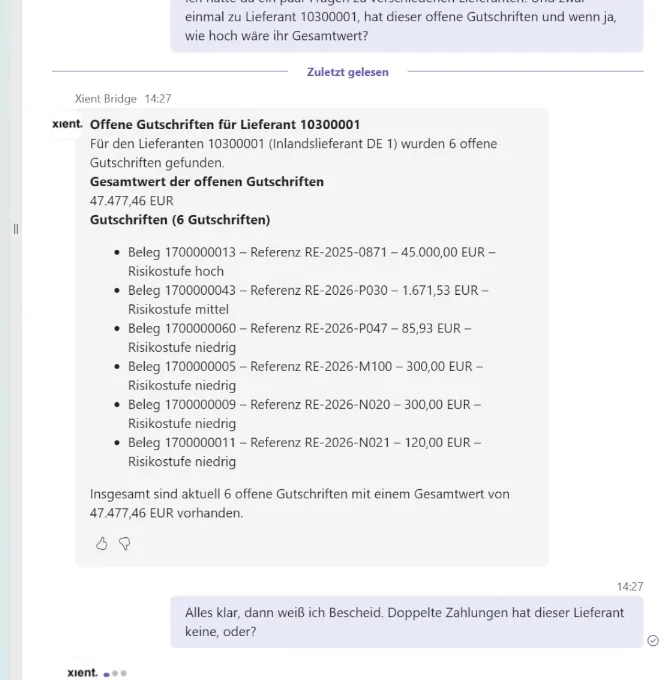
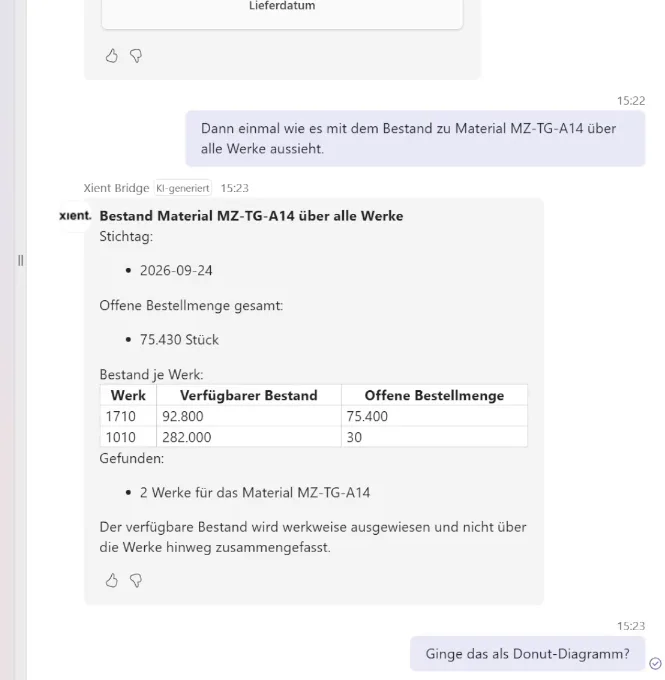
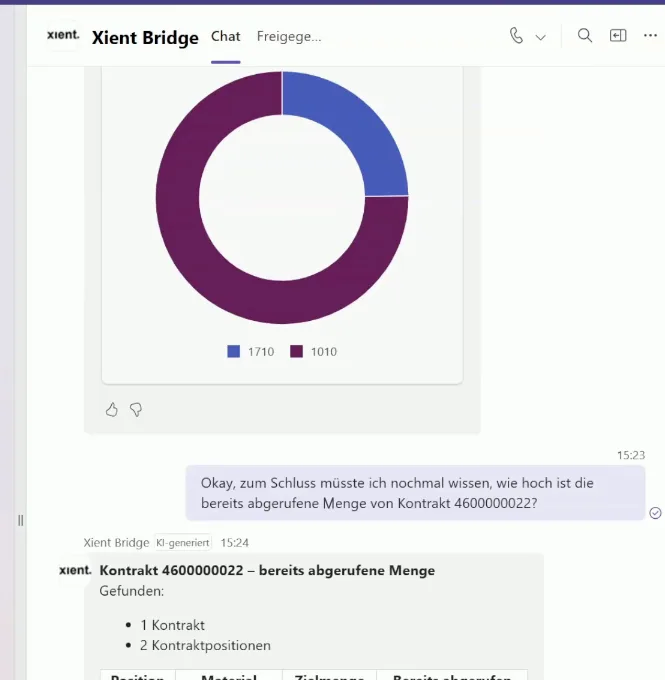
Stills from the demo videos, recorded in a demo system.
Common questions
Do we need SAP Joule to use SAP in Teams?
No. Joule lives inside the SAP interface and requires the SAP cloud chain. Bridge answers in Teams, on ECC and S/4HANA, with no BTP requirement.
Do users see more in Teams than in SAP?
No. Every query runs under the user's own SAP access. Whoever cannot see something in SAP cannot see it in Teams either.
What about Outlook, SharePoint and Excel?
Microsoft Teams is in production today. Outlook, SharePoint and Excel arrive in a later release.
How fast is SAP in Teams up and running?
After the readiness check, onboarding takes two to three weeks. The pilot runs for three months.
See SAP in Teams live.
Thirty minutes, your questions, a real demo system.